How to delete an app in iPhone while preserving the data? Offloading apps manually and automatically in iOS
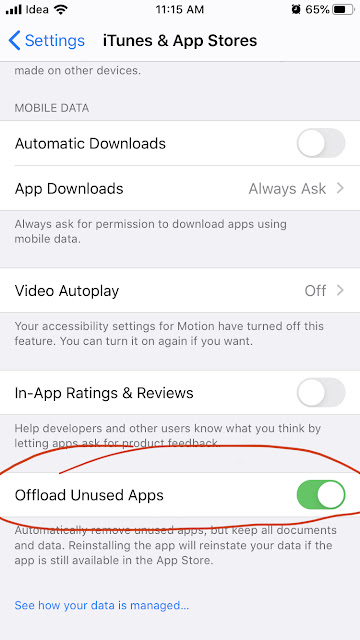
The iOS have a feature that is called 'Offloading' app that can be used to delete the app and recover space, at the same time preserve the data and also the icon on the device itself. You might have wondered why there is a small cloud symbol to the left side of the name of some of the apps. These apps are offloaded. This comes very handy when you doesn't require some heavy apps once in a while. In that case you can offload the app when not required and restore from app store in one click. Note: The app can be restored only if it is still available in app store.
